
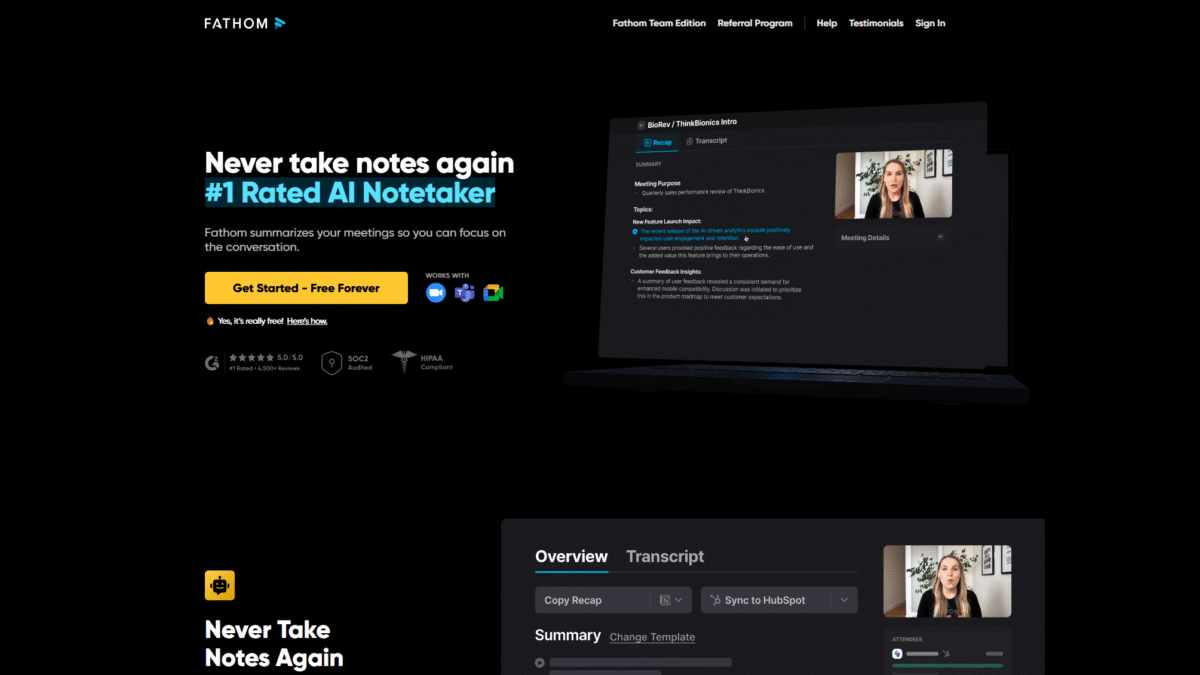

Never Take Meeting Notes Again With an AI Notetaker
What is Fathom?
Fathom is a leading AI notetaker designed to streamline your meeting workflow by automatically recording, transcribing, highlighting, and summarizing your virtual calls. With the fathom notetaker seamlessly integrated into Zoom, Google Meet, and Microsoft Teams, you no longer need to divide your attention between note-taking and active participation. By leveraging advanced natural language processing, Fathom frees your mind to focus on big-picture thinking, so you can engage more deeply and make every meeting count.
Ready to revolutionize how you capture meeting insights? Get Started with Fathom for Free Today and experience the power of the #1 rated AI notetaker.
Fathom Notetaker Overview
Founded by a team of seasoned entrepreneurs and AI engineers, Fathom set out with a mission to eliminate the tedium of manual note-taking and empower teams with actionable insights at lightning speed. Since its inception, Fathom has grown rapidly, onboarding thousands of users across sales, customer success, product management, and executive teams. With backing from prominent venture capital firms and glowing endorsements from industry leaders, Fathom continues to innovate and expand its feature set.
Over the past year, Fathom notetaker has launched multiple enhancements, including multilingual transcription, instant summaries available within 30 seconds of meeting end, and seamless CRM integrations. Today, it stands as the go-to solution for organizations seeking to boost productivity, reduce administrative overhead, and ensure meeting knowledge is never lost.
Pros and Cons
Pro: Eliminates manual note-taking so you can fully engage in conversations.
Pro: Instant AI-generated summaries available in less than 30 seconds after each meeting.
Pro: Unlimited meeting recordings, storage, and transcription across all plans.
Pro: Multilingual support with transcriptions in 25 languages and summary translations into 28 languages.
Pro: Seamless CRM and collaboration tool integrations—no more manual data entry.
Pro: AI assistant “Ask Fathom” for instant answers and follow-up generation.
Con: Some advanced AI features are limited on the free tier.
Con: Desktop app required for full functionality on Windows and Mac.
Features
Fathom notetaker offers a comprehensive set of features designed to cater to every stage of your meeting lifecycle. Below are the key capabilities that set Fathom apart:
Recording and Transcription
Automatically capture every word of your Zoom, Google Meet, and Microsoft Teams sessions.
- Unlimited recordings per month with unlimited storage.
- Supports recordings of any length—never worry about cutoffs.
- Accurate transcriptions in 25 languages for global teams.
Instant AI Summaries
Generate concise, actionable meeting summaries in under 30 seconds after your call ends.
- Highlights key moments and decisions.
- Summaries available chronologically or in AI-enhanced advanced format.
- Customizable summary styles to match your workflow.
AI Action Items & Follow-Up Emails
Never miss a task—Fathom drafts action items and follow-up emails automatically.
- Auto-detects next steps and assigns tasks.
- Generates polished follow-up emails ready to send.
- Syncs tasks and summaries directly to your CRM.
Ask Fathom AI Assistant
Interact with your meeting recordings like a live chat—get instant insights and answers.
- Ask specific questions about past calls (“What did we decide about pricing?”).
- Search keywords and jump to relevant clips.
- Generate custom reports based on discussion topics.
Shareable Clips
Extract short video or audio snippets to share context with teammates.
- Highlight crucial moments and drop them into Slack or email.
- Reduce long text threads by sharing precise clips.
- Boost clarity and engagement in follow-ups.
Multilingual Support and Translation
Cater to global teams with real-time transcription and translation.
- Transcribe meetings held in Spanish, German, French, and more.
- Translate AI summaries into 28 languages.
- Ensure compliance with local language requirements.
Fathom Notetaker Pricing
Whether you’re an individual professional or part of a growing team, Fathom notetaker offers flexible plans tailored to your needs:
Free Plan
Price: $0/month per user
- Unlimited recordings, storage, and transcription.
- AI meeting summaries (5 advanced/month, then chronological).
- AI action items & follow-up emails (first 5 calls/month).
- Ask Fathom (first 5 calls/month).
Premium Plan
Price: $19/month per user
- Unlimited advanced AI summaries for all meetings.
- Unlimited AI action items & follow-up emails.
- Customize AI summaries to your tone and format.
- Priority email support.
Team Edition
Price: $29/month per user
- All Premium features plus team management tools.
- Shared recording library and centralized access.
- Integrations with major CRMs and collaboration platforms.
Team Edition Pro
Price: $39/month per user
- Everything in Team Edition plus dedicated support.
- Advanced security and compliance features.
- Custom onboarding and training sessions.
Fathom Notetaker Is Best For
From solopreneurs to enterprise teams, Fathom notetaker adapts to a variety of use cases. Here’s who benefits the most:
Sales Teams
Capture every objection, decision, and next step during prospect calls. Automatically sync follow-ups to your CRM so deals never slip through the cracks.
Customer Success Managers
Document customer feedback and action items without diverting attention from relationship-building. Share video clips to keep internal teams aligned.
Product Managers
Record stakeholder interviews and summarise user feedback instantly. Generate concise requirement briefs to accelerate development cycles.
Executive Leadership
Ensure all critical discussions are archived with accurate summaries, action items, and key metrics for informed decision-making.
Remote and Global Teams
Break language barriers with multilingual transcription and translation. Keep everyone on the same page regardless of location or timezone.
Benefits of Using Fathom
Integrating Fathom notetaker into your workflow delivers tremendous value:
- Enhanced Focus: Engage fully in discussions without manual note-taking distractions.
- Time Savings: Slash post-meeting administrative work by automating summaries and follow-ups.
- Improved Accuracy: Capture every detail verbatim with AI-driven transcription.
- Seamless Collaboration: Share clips and summaries instantly across Slack, Google Docs, and CRM systems.
- Scalable Knowledge Management: Centralize meeting insights for organizational memory and compliance.
Customer Support
Fathom notetaker’s support is built for responsiveness and expertise. Whether you’re on the Free or Pro plan, you have access to a dedicated help center with documentation, video tutorials, and an active community forum. Premium and Team Edition customers receive priority email support with guaranteed response times, while Pro subscribers enjoy a dedicated customer success manager and optional live training sessions.
From troubleshooting technical issues to best-practice consultations, the Fathom support team ensures you get the most out of every feature. Rest assured, expert assistance is just a click away whenever you need guidance.
External Reviews and Ratings
Independent reviewers consistently praise Fathom notetaker for its intuitive interface, rapid summarization, and accuracy. On major SaaS review platforms, Fathom averages 4.8/5 stars, with customers highlighting its reliability and transformative impact on productivity.
Some users noted an initial learning curve when customizing summary templates, but Fathom’s built-in library of presets and responsive support quickly resolve any setup questions. Overall, the overwhelmingly positive feedback underscores Fathom’s status as the go-to fathom notetaker solution.
Educational Resources and Community
Fathom notetaker fosters a vibrant user community, complete with an official blog, weekly webinars, and how-to videos. The resource library covers advanced tips—from crafting custom AI prompts to integrating Fathom with your favorite project management tools. Join the Fathom user forum to exchange best practices, request features, and connect with thousands of fellow professionals.
Conclusion
Manual note-taking belongs in the past. With Fathom notetaker, you gain an AI-powered partner that records, transcribes, summarizes, and even drafts follow-up emails for every meeting. Say goodbye to scattered notes and hello to clear, actionable insights. Ready to transform your meeting workflow? Get Started with Fathom for Free Today and never take meeting notes again.
