

Secure Your Data with Top Password Management Software
Searching for the ultimate guide to password management software? You just landed on the right page. When you choose 1Password, you can Try 1Password for Free for 14 days Today, ensuring that every credential is stored and accessed securely across devices.
I know how overwhelming it can be to keep track of dozens—or even hundreds—of passwords, all while worrying about breaches or weak credentials. I’ve relied on 1Password for years, and it’s protected my team’s and my own sensitive data from prying eyes. With its award-winning platform, trusted by millions of users worldwide, you’ll finally have peace of mind. Give it a spin and experience why security professionals rave about this solution.
What is 1Password?
1Password is a leading password management software designed to safeguard your most sensitive information in one secure vault. It encrypts and stores everything from login credentials and credit card details to private notes, making them accessible only to you and those you trust. As the future of access management, 1Password adapts seamlessly to both individual and enterprise needs, providing an all-in-one solution for personal and professional security challenges.
1Password Overview
Founded in 2005, 1Password emerged from a desire to simplify digital security. The mission was clear: build an intuitive password manager that anyone could use without sacrificing top-tier encryption standards. Over nearly two decades, 1Password has grown from a modest startup to a global leader in password management software, protecting millions of identities and powering secure access for families, teams, and large enterprises.
Along the way, 1Password introduced innovations like Watchtower for breach monitoring and Extended Access Management (XAM) to secure every device and application in hybrid work environments. Partnerships with identity providers such as Okta and OneLogin have reinforced its position as an all-in-one access management platform. Today, 1Password is trusted by leading brands across industries to defend against the ever-evolving cyber threats.
Pros and Cons
Pro: Enterprise-grade encryption protects data with AES-256 bit, zero-knowledge architecture.
Pro: Watchtower dashboard proactively alerts you to weak, reused, or compromised passwords.
Pro: Cross-platform support on Windows, macOS, Linux, iOS, Android, and major browsers.
Pro: Secure password sharing with family members, colleagues, or external collaborators—even if they don’t have an account.
Pro: Extended Access Management (XAM) secures identities, devices, and apps in hybrid work environments.
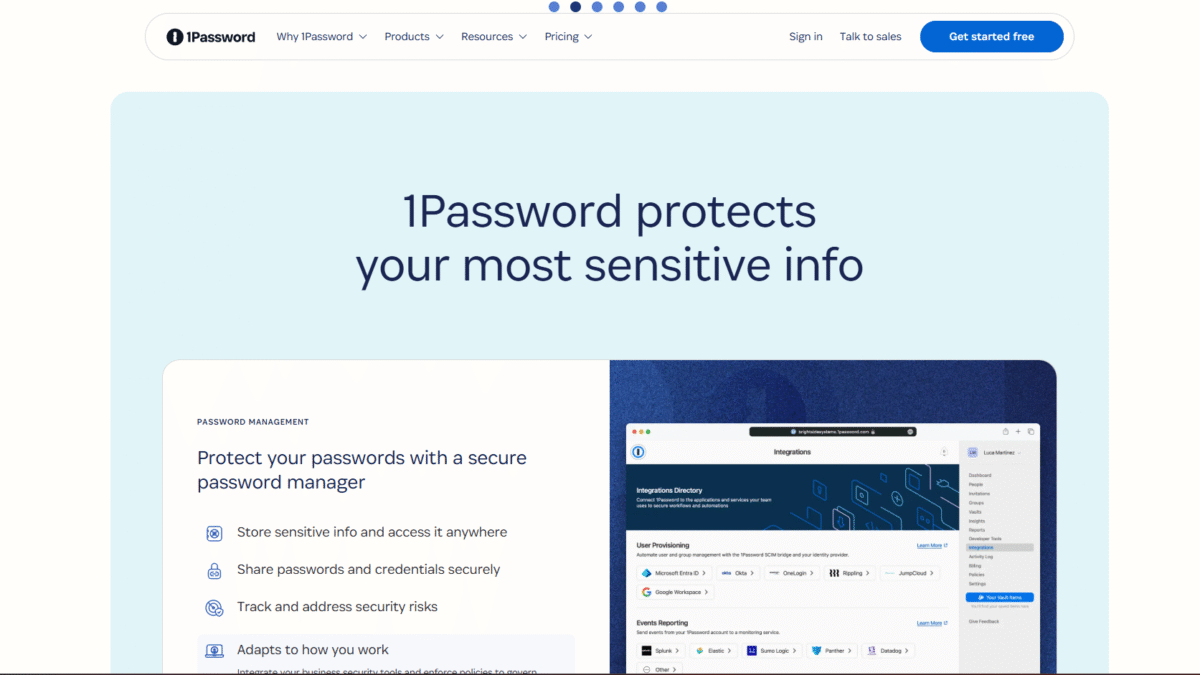
Pro: Integrations with popular identity providers like Okta, Entra ID, OneLogin, and Duo.
Pro: Developer tools and API for custom workflows, simple vault management, and automation.
Pro: Intuitive user interface that balances simplicity with powerful features, ideal for non-technical and advanced users alike.
Con: Higher price point compared to some basic password managers.
Con: Advanced enterprise features may require a learning curve for IT teams new to XAM and policy enforcement.
Con: Browser extension occasionally prompts for manual reauthentication depending on security settings.
Features
1Password offers a robust set of features tailored to both personal users and large organizations. Below are the core components that make it an industry-leading password management software.
Secure Vault Storage
Store all your sensitive information in one encrypted vault, including:
- Passwords and passphrases
- Credit card and banking information
- Secure notes, documents, and software licenses
- Custom fields and tags for easy organization
Watchtower Security Dashboard
Stay ahead of threats by monitoring security risks in real time:
- Detect weak, reused, or compromised passwords
- Receive breach notifications for exposed credentials
- Enforce password rotation and updates
- View security health score and actionable recommendations
Autosave and Autofill
Streamline your login process with:
- Automatic form detection and credential saving
- One-click login on websites and apps
- Cross-device sync for seamless access
Secure Sharing
Collaborate without risk by:
- Creating shared vaults for family or team use
- Setting granular permissions and role-based access
- Revoking access instantly if credentials are compromised
Extended Access Management (XAM)
Secure every aspect of your hybrid work environment:
- Single sign-on for both sanctioned and unsanctioned apps
- Device health checks for employees, contractors, and BYOD
- Visibility into app usage and policy compliance
Developer Tools and API
Build custom integrations that fit your workflow:
- Command-line interface for vault management
- SDKs and REST API for automated provisioning
- Webhook support for real-time event handling
1Password Pricing
Whether you’re an individual, a family, or a business of any size, there’s a plan that fits your needs. Every plan comes with a free 14-day trial.
Individual
Price: $3.99/month
Ideal for solo users who want top-tier protection.
- Generate, store, and autofill passwords securely
- Share items with anyone
- Use on unlimited devices with secure cloud sync
- Watchtower alerts for weak or compromised credentials
Families
Price: $6.95/month
Perfect for households up to six members.
- Everything in Individual plus:
- Invite up to 5 family members
- Share unlimited vaults with simple admin controls
- Manage permissions and billing in one account
Teams Starter Pack
Price: $24.95/month (up to 10 users)
Designed for small teams looking to centralize credentials.
- Secure password and sensitive data sharing
- Actionable security alerts and reports
- Role-based permissions and vault management
- Developer tools and priority support
Business
Price: $9.99/month per user
Comprehensive solution for enterprises requiring strict compliance.
- Everything in Teams Starter Pack plus:
- Integrations with Okta, Entra ID, OneLogin, Duo
- Extended Access Management for all devices and apps
- Advanced reporting, custom roles, and SCIM provisioning
- Dedicated account manager and priority onboarding
1Password Is Best For
1Password’s flexibility and depth make it suitable for a wide range of users. Below are some examples of who benefits most from this password management software.
Individuals
If you juggle multiple online accounts—social media, banking, shopping—1Password simplifies your life by generating and autofilling strong passwords automatically. Never reuse a weak password again.
Families
Sharing logins for streaming services, utility accounts, or emergency information is easy and secure. You control who sees what, and you can update or revoke access with a click.
Small Teams
Coordinate logins for shared tools like project management, CRM, or cloud hosting. Save time onboarding new hires by provisioning vault access instantly.
Large Enterprises
Implement single sign-on across thousands of apps, enforce device compliance, and gain visibility into real-time security risks. 1Password XAM ensures no device or unsanctioned app can slip through your policies.
Benefits of Using 1Password
- Enhanced Security: AES-256 encryption and zero-knowledge architecture keep your data unreadable to anyone but you.
- Time Savings: Autosave and autofill features eliminate the hassle of typing or resetting forgotten passwords.
- Risk Reduction: Watchtower alerts you to vulnerable credentials before they can be exploited.
- Centralized Control: Easily manage logins, access policies, and user permissions from a unified dashboard.
- Scalable Solution: Grows with you—from a single user to thousands—without sacrificing usability or performance.
- Regulatory Compliance: Meet GDPR, HIPAA, and SOC 2 requirements with detailed audit logs and policy enforcement.
- Seamless Collaboration: Share credentials securely across teams and family members without exposing plaintext passwords.
Customer Support
1Password offers 24/7 support via email and chat, with average response times under one hour for critical issues. Their help center includes an extensive knowledge base with step-by-step guides, FAQs, and troubleshooting articles.
For enterprise customers, dedicated account managers provide onboarding assistance, custom training sessions, and best-practice recommendations. Community forums and user groups also offer peer-to-peer support and real-world tips.
External Reviews and Ratings
Users praise 1Password for its intuitive interface and robust security features. Reviewers on software comparison sites often highlight the Watchtower dashboard and seamless cross-device syncing as standout capabilities. Many report significant reductions in password-related incidents after adopting 1Password.
Some criticisms note the premium pricing compared to basic competitors and a brief learning curve for enterprise policy configuration. However, 1Password continually addresses feedback with regular feature updates, enhanced tooling, and transparent communication.
Educational Resources and Community
1Password maintains an active blog with quarterly security reports, product announcements, and best-practice articles. Onboarding tutorials cover topics from setting up vaults to advanced XAM policy enforcement. Regular webinars and video workshops help administrators and end users get the most out of the platform.
Community forums and a Slack workspace connect thousands of security-minded professionals who share tips, integrations, and real-world use cases. Whether you’re a newcomer or a seasoned admin, you’ll find resources and peer support to guide your journey.
Conclusion
Managing dozens of passwords doesn’t have to be a headache. With 1Password, you get industry-leading password management software that secures identities, devices, and applications across every environment. Ready to simplify your digital life and fortify your security posture? Try 1Password for Free for 14 days Today and experience the future of access management firsthand.
Stop worrying about weak or compromised passwords—take control now and Try 1Password for Free for 14 days Today.
