
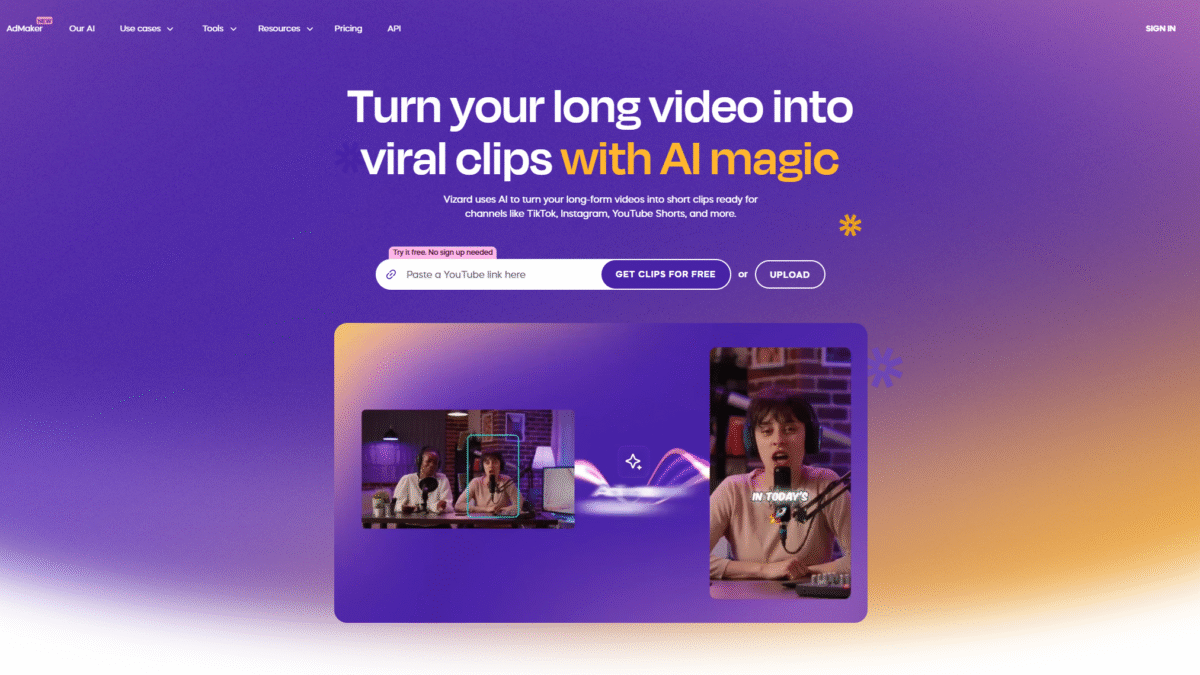

Limited Promo: Vizard AI Video Editing & Clipping Discount
Hunting for an unbeatable limited promo on Vizard? You’ve landed in the right spot. I’ve dug into every corner of this AI video editing and clipping tool to secure you an exclusive **Get 50% OFF Vizard’s Annual Plans Today**—the best deal you’ll find anywhere online.
In this deep-dive review, I’ll walk you through what makes Vizard tick, break down every feature and plan, and show you exactly how you can leverage this discount to supercharge your content workflows. Ready to uncover why Vizard is the talk of creators, coaches, marketers, and agencies alike? Let’s jump in.
## What Is Vizard?
Vizard is an AI-powered video editing and clipping tool designed to transform your long-form footage into bite-sized, social-ready clips in seconds. Whether you’re a podcaster, coach, marketer, freelancer, or agency, Vizard automates time-consuming tasks—like identifying highlights, reframing shots, and adding captions—so you can focus on storytelling and strategy rather than manual edits.
Core use cases include:
– Podcasters and creators looking to repurpose episodes into viral TikToks, Reels, and Shorts.
– Coaches and business owners clipping webinars or client calls to boost their personal brand.
– Marketing teams mass-producing social content from a single long video.
– Agencies and freelancers who need to scale output without scaling costs.
## Features
Vizard packs a suite of AI features that actually work—no gimmicks, just real time savings and polished results.
### AI Clipping
Let Vizard detect highlights and generate shareable clips with a single click.
– Automatically identifies top moments based on engagement metrics and speaking cues.
– Generates multiple short videos suitable for TikTok, YouTube Shorts, Instagram Reels, LinkedIn, and more.
– Save hours of manual scrubbing and export ready-to-publish assets instantly.
### AI Speaker Cut & Auto-Reframe
Ditch the manual resizing dance—Vizard adapts your composition automatically.
– Tracks faces and key objects to keep them centered in any aspect ratio.
– Quickly convert widescreen footage into vertical videos optimized for mobile.
– Ensures your subject always stays in frame without awkward jumps.
### AI Captions
Say goodbye to tedious captioning and embrace dynamic text.
– Auto-generate accurate captions in 39 languages with 95%+ accuracy.
– Choose from trendy styles inspired by top creators or customize your own branding.
– Improve accessibility and engagement with animated caption presets.
### AI Emoji
Boost viewer retention with perfectly timed, expressive emojis.
– Suggests relevant emojis based on your video’s tone and content.
– Adds animated flair that stops scrollers in their tracks.
– Customize positioning, size, and animation speed for a unique look.
### AI B-roll
Enhance your narrative with contextual footage, instantly.
– Automatically finds and inserts royalty-free B-roll clips that match your keywords.
– Smoothly transitions between primary and secondary content for a polished finish.
– Hook viewers within seconds and maintain their interest throughout.
### AI Social Caption & Hashtag
Craft the perfect post copy without staring at a blank screen.
– Generates attention-grabbing descriptions tailored to each platform’s style.
– Suggests trending hashtags to expand your reach and boost discoverability.
– Speeds up your social publishing workflow so you can go live faster.
### Team Workspace & Collaboration
Built for every team—whether you’re a two-person startup or a global agency.
– Centralized hub: invite members, assign roles, and manage reviews in one place.
– Real-time previews and comments keep everyone aligned.
– Share preview links with clients or external collaborators—no sign-up required.
## Pricing
Vizard’s flexible plans cater to hobbyists and enterprises alike. Plus, with the **Get 50% OFF Vizard’s Annual Plans Today** promo, you’ll slash your costs by half when you commit yearly.
– **Free Plan** (Best for casual users)
– Price: $0/month
– 60 upload minutes per month
– Private workspace & one social media account
– AI-generated clips, full video editor access
– Exports in 720p, 3-day storage
– **Creator Plan** (Most Popular for individual creators)
– Price: $29/month (billed monthly) or **$174/year** after discount
– 600 upload minutes per month
– Manage up to 6 social accounts
– No watermark, 4K exports, scheduling, unlimited storage
– **Business Plan** (Ideal for growing teams)
– Price: $39/month (billed monthly) or **$234/year** after discount
– 600 upload minutes per month
– Shared workspace, up to 20 social accounts
– Team seats at $10/mo each, brand kit, custom fonts, unlimited viewers
**Note:** Annual billing saves you 50% across paid tiers—now’s the perfect time to lock in the biggest savings.
## Benefits to the User (Value for Money)
Vizard delivers remarkable value through its AI automation and intuitive interface:
– Effortless Clip Generation
Spend minutes, not hours, producing multiple shareable videos. AI-powered clipping slashes editing time by up to 90%.
– Seamless Multi-Platform Support
One upload, endless outputs. Vizard automatically formats clips for TikTok, Instagram, YouTube Shorts, LinkedIn, and more.
– Scalable Team Collaboration
Invite teammates, share drafts, and collect feedback in a centralized workspace—no more scattered emails or endless versioning.
– Cost-Effective Production
With the 50% annual discount and plans starting at just $174/year, Vizard offers enterprise-grade AI at a creator-friendly price point.
– Consistent Branding
Use brand kits and custom templates to ensure every clip aligns with your visual identity and messaging guidelines.
– Enhanced Accessibility
Automated captions in 39 languages boost comprehension, engagement, and SEO across global audiences.
– Higher Engagement Rates
AI Emoji, B-roll, and dynamic captions keep viewers hooked, increasing completion rates and shares.
– Simplified Workflow
From transcription to publishing, Vizard’s end-to-end solution removes bottlenecks, letting you focus on creativity and strategy.
Ready to transform your video workflow? Grab this limited promo and start saving with Vizard today!
## Customer Support
Vizard’s customer support team prides itself on responsiveness and expertise. Whether you have a quick setup question or need help with advanced workflows, you can reach out via live chat directly within the app for real-time assistance. Their knowledgeable agents are available around the clock to guide you through features, troubleshoot issues, and share best practices.
For more in-depth inquiries, Vizard offers dedicated email support with guaranteed response times under 24 hours. Enterprise and Business plan customers also receive priority access and optional phone support for mission-critical needs. Comprehensive onboarding materials and step-by-step guides ensure you’ll never feel stranded.
## External Reviews and Ratings
Vizard consistently earns praise for its intuitive design and reliable AI. On Capterra, users rate Vizard 4.8/5 stars, highlighting the platform’s ability to drastically reduce editing workloads and increase social media output. G2 reviewers commonly call out the “game-changing AI clipping” and “incredible time savings” as standout benefits.
While most feedback is glowing, some users have requested finer control over AI trimming thresholds and more advanced customization options for B-roll choices. The Vizard team is actively addressing these points—recent updates have added manual override features and expanded B-roll libraries, demonstrating their commitment to continuous improvement.
## Educational Resources and Community
Getting started with Vizard is a breeze thanks to a wealth of learning materials:
– Official Blog: In-depth articles on content strategy, AI editing tips, and platform updates.
– Video Tutorials: Step-by-step walkthroughs covering everything from your first clip to advanced brand template creation.
– Knowledge Base: Detailed documentation and FAQs addressing common questions and technical guides.
– User Community: Join the Vizard Facebook group or Discord server to network with creators, share templates, and exchange feedback.
– Webinars & Workshops: Regular live sessions hosted by the Vizard team and guest experts to showcase new features and best practices.
## Conclusion
In summary, Vizard brings high-quality, AI-driven video editing and clipping to creators, businesses, and agencies of all sizes. With features like AI Clipping, Auto-reframe, dynamic captions, and B-roll automation, you’ll save hours on each project and produce more engaging content than ever before. Team collaboration tools and a flexible pricing model—backed by **Get 50% OFF Vizard’s Annual Plans Today**—make this the perfect moment to invest.
Don’t wait—secure your discount, streamline your workflow, and start creating viral clips in minutes. Get Started with Vizard for Free Today and experience the future of video editing now!
