

Boost Workflow Efficiency with Free Cloud Storage
Searching for the ultimate guide to cloud storage? You just landed on the right page. In this comprehensive resource, I’ll walk you through everything you need to know about maximizing your workflow with robust cloud storage solutions. From understanding the fundamentals to fine-tuning advanced collaboration features, I’ll also show you how WPS can help you streamline every step of the process.
If you’ve struggled with limited local drives, version control nightmares, or sluggish file syncing, I get it—I’ve been there. With countless hours lost hunting down the latest document version or wrestling with compatibility headaches, it’s time for a better way. WPS has earned a reputation for powerful office capabilities, seamless file handling, and delightful AI integrations. Plus, you can Get Started with WPS for Free Today and unlock complimentary cloud storage to revolutionize your workflow.
What is WPS?
WPS is an AI-powered office suite that merges the familiarity of Microsoft Word, Excel, and PowerPoint with cutting-edge cloud storage and collaboration features. At its core, WPS leverages robust encryption and scalable cloud architecture to keep your files safe, accessible, and perfectly synced across devices. Instead of wrestling with multiple platforms, WPS unifies document creation, editing, and sharing in one intuitive environment.
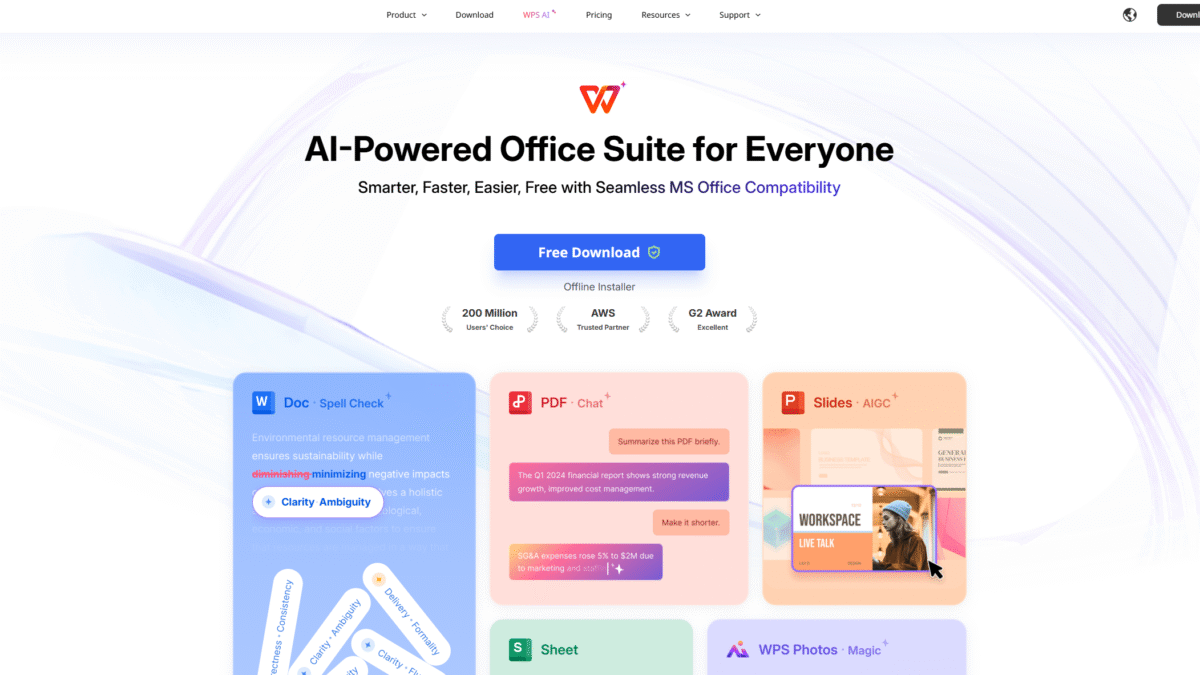
With native compatibility for DOCX, XLSX, PPTX, and PDF formats and a host of AI-driven tools—like intelligent spell-checking, parallel translation, and automated slide design—WPS transforms cloud storage from a static file repository into an active productivity engine. Whether you’re drafting reports, crunching numbers, delivering presentations, or annotating PDFs, WPS keeps your entire team on the same page.
WPS Overview
Founded in 1988, WPS initially gained traction in Asia as a lightweight alternative to traditional office suites. Over the decades, the team behind WPS has focused relentlessly on delivering performance, compatibility, and simplicity. Milestones include:
- 2003: Official launch of WPS Office with Excel and PowerPoint modules.
- 2018: Introduction of seamless Microsoft Office compatibility, eliminating formatting issues.
- 2021: Rollout of WPS AI features—smart spell checker, content generation, and headshot enhancement.
- 2023: Expansion of cloud storage capacity and real-time collaboration tools across web, desktop, and mobile.
Today, WPS is trusted by over 600 million users worldwide, from individual freelancers to global enterprises. Awards like Most Innovative Office Suite 2022 underscore its impact in boosting productivity and revolutionizing how people store, manage, and share files in the cloud.
Pros and Cons
Pros:
1. Seamless Compatibility: Open and edit Microsoft Office files without any formatting issues, every time.
2. AI-Powered Productivity: Use intelligent spell check, automated slide design, and parallel translation to work faster and smarter.
3. Generous Free Tier: Includes complimentary cloud storage, unlimited Word/Excel/PPT editing, and access to basic templates.
4. Lightweight Installation: At just 214 MB, WPS is lightning-fast and conserves system resources.
5. Cross-Platform Support: Full-featured apps for Windows, Mac, Linux, Android, iOS, and an online editor.
6. Real-Time Collaboration: Offline editing, automatic syncing, and multi-user concurrent editing keep teams aligned.
Cons:
1. Advanced AI features (e.g., AI Slides, Photo Editing) require a subscription.
2. Mac and Linux versions sometimes lag behind Windows in receiving new features.
Features
AI-Powered SmartHeadshot
Transform any selfie into a polished headshot for professional profiles in minutes.
- Multiple style presets: corporate, creative, casual.
- Background removal and lighting adjustments.
- HD export optimized for LinkedIn, resumes, and websites.
Mistake-Free Writing with AI Spell Checker
Write with confidence using an intelligent spell checker that understands context. WPS flags grammatical errors, suggests synonyms, and improves readability in real time.
AI Parallel Translation
Break language barriers by translating Word and PDF documents side by side. Perfect for global teams, academic research, and multilingual reporting.
One-Click PPT Generation and Beautification
Convert bullet points into fully designed slides with AI-driven layouts, animations, and theme consistency.
AI Content Generation in WPS Writer
Generate essays, blog posts, and business letters within seconds using advanced AI algorithms. Customize tone, length, and structure on the fly.
Chat with PDFs through AI
Upload any PDF and ask questions—summaries, key insights, or detailed explanations. Ideal for research, contracts, and e-books.
Smart Photo Editing in WPS Photos
Basic and advanced tools for cropping, color correction, object removal, and enhancement. All integrated within the office ecosystem.
WPS Pricing
WPS offers flexible plans to match every need—from free individual use to enterprise-grade subscriptions.
WPS Pro
Price: $2.99/month (billed $35.99/year)
- Full PDF editing and conversion
- Unlimited template downloads
- 20 GB cloud storage
- No ads
WPS Pro + WPS AI
Price: $10.83/month (billed $129.99/year)
- All Pro features
- Unlimited access to AI Chat PDF, AI Writer, AI Spell Check
- AI Slides (Beta) and Photos
WPS AI
Price: $9.99/month (billed $119.88/year)
- AI Spell Check, Parallel Translate, Photos, Writer, Chat PDF
- Upcoming AI feature early access
WPS Is Best For
Whether you’re an individual creator, a small team, or a large enterprise, WPS scales to your needs.
Freelancers and Solopreneurs
Benefit from free cloud storage, professional templates, and AI writing assistance to deliver polished work quickly.
Small Teams
Leverage real-time collaboration and shared cloud repositories to ensure everyone works on the latest files.
Educators and Students
Access a full office suite across devices with no cost, plus interactive AI study aids and translation tools.
Enterprises
Advanced admin controls, custom security policies, and bulk licensing with priority support streamline IT management.
Benefits of Using WPS
Unlock a range of advantages by adopting WPS as your primary cloud storage and office solution:
- Uninterrupted Access: Work offline and sync automatically when online.
- Enhanced Collaboration: Comment, co-edit, and track changes in real time.
- Cost Efficiency: Free unlimited Word/Excel/PPT, affordable AI upgrades.
- Security & Compliance: 256-bit encryption, two-factor authentication.
- Scalability: From solo plans to enterprise deployments, expand storage seamlessly.
Customer Support
WPS support is available via live chat, email, and an extensive knowledge base. Average response times are under one hour during business days, ensuring you’re never stuck waiting for help.
For Pro and Enterprise users, priority support channels and dedicated account managers guarantee swift resolution of any technical challenges or account queries.
External Reviews and Ratings
Across tech review sites, WPS consistently scores above 4.5/5. Users praise its lightweight footprint, flawless Microsoft Office compatibility, and rich AI toolkit. For example, TechRadar calls it “the best free office suite for productivity and collaboration,” while PCMag highlights its “unbeatable combination of features at no cost.”
Some users note that advanced AI features require a subscription, and occasional UI tweaks can be confusing. WPS addresses this by rolling out regular updates and detailed release notes, ensuring continuous improvement based on community feedback.
Educational Resources and Community
WPS maintains an official blog with tutorials, AI case studies, and productivity tips. Their YouTube channel offers step-by-step guides and feature deep dives. For peer support, the WPS Community Forum and Reddit group are bustling with Q&A threads, template exchanges, and third-party integrations. Monthly webinars cover best practices for remote collaboration and AI-powered document creation.
Conclusion
In the realm of cloud storage, WPS stands out as a versatile, AI-enhanced solution that empowers users to create, share, and collaborate effortlessly. From free unlimited access to Word, Excel, and PowerPoint features to advanced AI tools for content generation and translation, WPS equips you with everything needed to boost your workflow efficiency. Ready to revolutionize your document management and storage? Get Started with WPS for Free Today, and experience seamless cloud storage and productivity like never before.
