

How to Build AI Apps Without Code for Workflow Automation
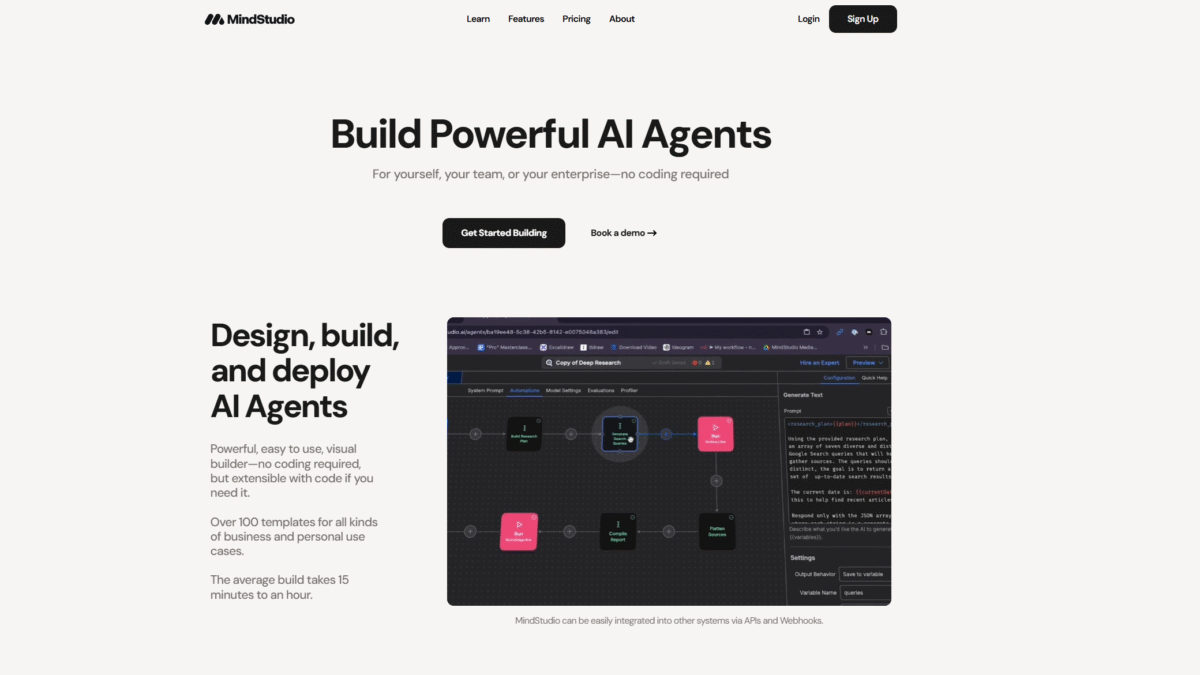
Building powerful ai apps for workflow automation no longer requires a developer background. With MindStudio’s AI-native workflow automation platform, you can visually design, deploy, and manage intelligent agents that streamline repetitive tasks—no code needed. From social listening to PDF generation, MindStudio empowers anyone to create bespoke AI tools in as little as 15 minutes.
Why No-Code AI Apps Matter
Traditional automation tools often leave a gap when it comes to integrating advanced AI capabilities. You might rely on separate APIs, wrestling with authentication, rate limits, and custom coding. No-code AI apps close that gap by wrapping powerful large language models, vision engines, and data connectors into an intuitive visual builder. The result? Faster development cycles, easier iteration, and democratized access to AI-driven intelligence.
Step 1: Map Out Your Workflow
Before opening any builder, identify the process you want to automate. Are you:
- Generating weekly progress reports from multiple data sources?
- Monitoring social media chatter for brand mentions?
- Converting customer emails into structured support tickets?
Clarifying each step—triggers, conditions, and outputs—helps ensure your ai app will deliver exactly what you need.
Step 2: Choose a Template or Start Fresh
MindStudio offers over 100 templates for common use cases. Simply pick one that aligns with your workflow and customize it. If you prefer full control, start from a blank canvas and drag & drop steps like “scrape URL,” “generate text,” and “send email.”
Step 3: Connect Your Data Sources
Data ingestion is effortless:
- Scrape live URLs to pull structured data in real time.
- Upload documents or vectorize entire knowledge bases for RAG-powered insights.
- Link to Google Docs, Sheets, Notion, or any database via custom connectors.
These built-in integrations mean your ai apps can fetch, analyze, and act on data anywhere it lives.
Step 4: Design AI-Powered Workflows Visually
The visual builder in MindStudio uses simple blocks to assemble AI logic:
- Triggers (email, webhook, schedule, button click)
- AI Actions (text generation, image generation, OCR)
- Data Processing (JSON parsing, conditional steps, loops)
- Outputs (email notifications, PDFs, dashboards)
For advanced use cases, you can inject custom JavaScript or Python functions at any step, with automatic function documentation and testing built in.
Key Features of MindStudio for AI Apps
Visual Builder
Drag-and-drop components let anyone assemble complex workflows. Every step can be configured without touching code, yet extensible when you need custom logic.
Agent Deployment
Publish your ai app as:
- AI-powered web app with user interfaces
- Autonomous agents running on schedules
- Browser extensions for on-the-fly assistance
- Email-triggered bots and webhook/API endpoints
Integrated LLM and Media Models
Access over 90 text models and multiple image, audio, and PDF generators without managing API keys yourself. Switch models on the fly and compare output quality with the built-in profiler.
Human-in-the-Loop
Add checkpoints for approvals, gather enriched user context through dynamic forms, and handle file uploads at runtime. Pause automation, get manual validation, then resume for seamless oversight.
Benefits of Building AI Apps with MindStudio
- Speed: Launch prototypes in minutes using ready-made templates.
- Cost Efficiency: Use model-specific budgets and usage controls to optimize spend.
- Scalability: From individual use to enterprise-scale deployments with robust versioning and workspace management.
- Extensibility: Combine no-code ease with the power of custom code functions when necessary.
- Visibility: Automatic diagnostics, a debugger, and error panels ensure you catch issues early.
Best Practices for Your AI Apps
- Test each workflow step using the built-in prompt and function testers.
- Use the model profiler to balance response time, cost, and output quality.
- Implement human checkpoints for critical decision points.
- Monitor runs with email and Slack notifications to stay informed.
Getting Started with MindStudio
Ready to turn your ideas into automated ai apps today? Get Started with MindStudio for Free Today and explore how easy it is to build, deploy, and manage AI-native workflow automation agents without writing a single line of code.
