

Maximize Cloud VPS Control with an All-In-One Hosting Panel
Searching for the ultimate guide to cloud vps control and management? You’ve just landed in the right place. I’m excited to show you how Plesk can transform the way you build, secure, and scale your virtual private servers—all from a single, intuitive dashboard.
If you’re juggling multiple cloud vps instances, wrestling with security patches, or hunting for a unified toolkit to streamline deployments, you’re not alone. I’ve spent countless hours testing hosting panels, and Plesk has emerged as my go-to solution. It’s been around for years and powers hundreds of thousands of servers worldwide. Plus, you can Try Plesk for Free Today and experience the platform’s full power without any risk.
What is Plesk?
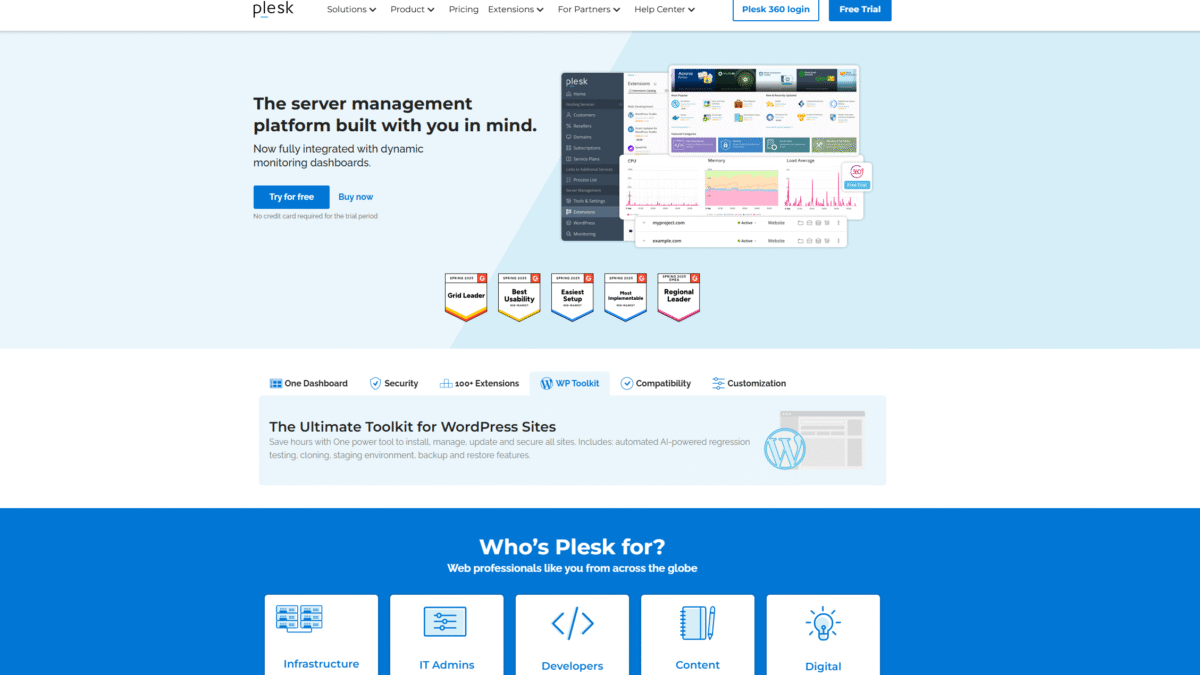
Plesk is the all-in-one hosting control panel designed to simplify every aspect of your cloud vps management. It provides a centralized interface where you can build multiple websites, run updates, monitor performance, and onboard clients—no matter which virtualization or hyperscale provider you choose.
Plesk Overview for Cloud VPS Management
Plesk was founded with the mission to eliminate fragmented server management and replace it with a unified, user-friendly solution. Over the years, it’s grown into an industry-leading platform trusted by developers, agencies, and hosting companies. Key milestones include the launch of dynamic monitoring dashboards, integration with more than 100 extensions, and the introduction of an AI-powered WordPress toolkit.
Today, Plesk supports all major virtualization and container platforms—Docker, OpenVZ, KVM—as well as cloud providers like AWS, Google Cloud, Azure, Alibaba Cloud, and DigitalOcean. With full root access on every Plesk-powered VPS, you retain ultimate flexibility to install any third-party or open-source applications you need.
Pros and Cons
Pros:
Centralized Control: Manage multiple cloud vps instances from one interface, including updates, security, and performance monitoring.
Robust Security: Built-in protections across OS, network, and apps, enhanced with partners like ImunifyAV and Atomicorp.
100+ Extensions: Easily integrate DigiCert SSL, Let’s Encrypt, Cloudflare, Node.js, NGINX, Git, and more.
AI-Powered WordPress Toolkit: Automated testing, cloning, staging, backup, and restore tools to save hours on site management.
Hyperscale Compatibility: Certified to run on AWS, Google Cloud, Azure, and other major providers without extra configuration.
Full Root Access: Freedom to install custom tools or open-source apps directly on your VPS.
Cons:
Advanced features require a learning curve for users new to hosting control panels.
Some high-end extensions may incur additional costs beyond the core license.
Features
Plesk brings an impressive toolkit to your cloud vps environment. Below are some of the standout features that I rely on every day.
Centralized Control Panel
One dashboard to manage all your cloud vps instances, websites, and domains. Key benefits:
- Single sign-on for administrators and clients
- Automated system updates and patch management
- Real-time performance monitoring
Robust Site & Server Security
Protect your infrastructure at every level:
- OS-level hardening
- Web application firewall integration
- Automated malware scanning with ImunifyAV
Expandable with 100+ Extensions
Plesk’s open ecosystem lets you bolt on the tools you need:
- DigiCert and Let’s Encrypt SSL
- Cloudflare CDN and DDoS protection
- Git integration for automated deployments
Ultimate WordPress Toolkit
Manage all your WP sites with a single power tool:
- One-click staging and cloning
- AI-powered regression testing
- Backup and restore directly to cloud storage
Plesk Pricing for VPS Plans
Whether you’re an administrator, developer, or hosting provider, there’s a Plesk edition that fits your needs and budget:
Web Admin Edition (VPS) – $15.49/mo
- Manage up to 10 domains
- Sitejet Builder and WP Toolkit SE
- Ideal for small websites and personal projects
Web Pro Edition (VPS) – $26.99/mo
- Manage up to 30 domains
- Full WP Toolkit, subscription & account management
- Perfect for developers and designers
Web Host Edition (VPS) – $49.99/mo
- Unlimited domains
- Reseller management and advanced database modules
- Built for growing hosting businesses
For dedicated servers, pricing starts at $15.49/mo for the Web Admin Edition, scaling up to $66.99/mo for the Web Host Edition with full reseller support.
Plesk Is Best For
Plesk caters to a wide range of user profiles. Here’s how each benefits from a smarter cloud vps workflow:
Solo Developers & Freelancers
You get a streamlined interface to deploy client sites, manage WordPress instances, and automate backups—freeing you to focus on code.
Web Agencies & Designers
Onboard multiple clients under one roof, assign permissions, and deliver secure, staged environments for review—all without switching tools.
Hosting Companies & Resellers
Offer Plesk editions to your customers with full reseller management, white-label branding, and volume discounts up to 45%.
Benefits of Using Plesk
- Time Savings: Centralized updates, backups, and monitoring let you focus on growth, not server chores.
- Enhanced Security: Industry-leading firewalls and malware scanners guard your cloud vps infrastructure.
- Unlimited Scalability: Run on any hyperscale cloud or on-premise platform without reconfiguration.
- Cost Efficiency: Flexible licensing and pay-monthly plans keep expenses predictable.
- Extensible Ecosystem: Plug in your favorite tools or customize workflows with a vast extension library.
Customer Support
Plesk offers 24/7 priority support through email and live chat for all Business Partners and top-tier subscribers. I’ve personally reached out on weekends and received prompt, expert assistance within minutes.
For self-service, the Plesk Knowledge Base is a goldmine of tutorials, best practices, and troubleshooting guides. Whether you prefer step-by-step articles or video walkthroughs, help is always at hand.
External Reviews and Ratings
Across major review sites, Plesk consistently scores above 4.5/5 stars. Users praise its intuitive UI, robust security, and seamless WordPress management. Common praise points include the powerful WP Toolkit and the sheer convenience of centralized control over multiple cloud vps servers.
On the flip side, some beginners mention a slight learning curve when exploring advanced extensions. Plesk addresses this with guided pop-ups and updated documentation, which I’ve found very helpful during onboarding.
Educational Resources and Community
Plesk maintains an active blog featuring expert articles on Linux hardening, containerization, and DevOps best practices. You’ll also find:
- Monthly webinars on new features and integrations
- A vibrant forum with developers and sysadmins sharing tips
- Official tutorials on YouTube covering every major use case
Conclusion
Managing multiple cloud vps instances doesn’t have to be a headache. With Plesk’s centralized control panel, robust security, and an ever-expanding extension library, you can streamline operations and focus on innovation. Ready to experience the difference? Try Plesk for Free Today and take full command of your cloud vps environment.
Try Plesk for Free Today and unlock unparalleled control over your cloud vps servers now.
