

Office Timeline Deals: Save Big on Gantt Chart Maker
Hunting for a stellar deal on Office Timeline? You’re in luck—I’ve dug up an exclusive Save on Office Timeline Today offer that you won’t find anywhere else. I’ve been testing this timeline and Gantt chart maker for months, and I can confidently say this is the best discount currently available.
Stick around as I walk you through everything Office Timeline has to offer—its standout features, pricing tiers, real user feedback, and why this limited-time deal is worth grabbing right now. By the end, you’ll see exactly how this tool can save you time, boost your presentations, and—most importantly—save you money.
What Is Office Timeline?
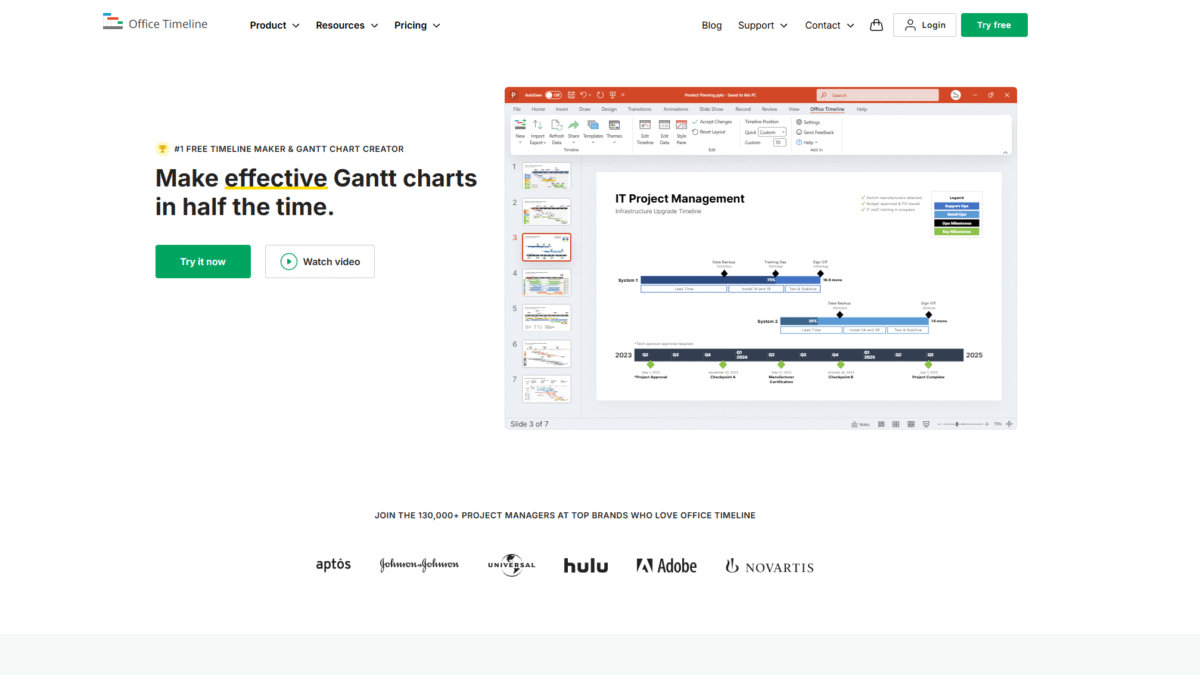
Office Timeline is a timeline and Gantt chart creator designed to integrate seamlessly with PowerPoint and the web. It empowers project managers, consultants, executives, and teams to build professional, executive-ready visuals in minutes. Whether you’re summarizing a six-month project plan or presenting a high-level roadmap, Office Timeline transforms complex data into easy-to-digest slides that stakeholders actually understand.
Use cases for Office Timeline include weekly project updates, board presentations, client reports, marketing roadmaps, HR onboarding schedules, and R&D timelines. It’s perfect for anyone who needs to convey time-based information clearly and convincingly, without wrestling with complicated design software or spending hours formatting manually.
Features
Office Timeline packs a range of features that streamline the creation of timelines and Gantt charts—both in PowerPoint and online. Below is a deep dive into the most compelling capabilities:
PowerPoint Timeline Generator
Build and present your timelines directly within PowerPoint, using a familiar interface enhanced by the Office Timeline add-in.
- Create roadmaps, swimlanes, and subtasks without leaving your slide deck.
- Apply and customize themes to match your brand or presentation style.
- Use the slide-based wizard to guide you through every step, ensuring professional results.
Drag-and-Drop Editor
Effortlessly adjust dates, milestones, and task bars with intuitive drag-and-drop controls.
- Shift entire project phases backward or forward to reflect delays.
- Reassign milestones to new dates in seconds.
- Group tasks into swimlanes to highlight different workstreams or teams.
Time-Saving Integrations
Leverage existing data from your favorite project management tools.
- Import tasks and dates directly from Microsoft Project, Excel, Smartsheet, and Jira.
- Maintain real-time updates—any changes in your source file can be synced back to Office Timeline.
- Avoid manual copying and reduce the risk of errors or outdated information.
Online Timeline Creator
Work in the cloud when you’re away from your desktop or collaborating with remote teams.
- Create, share, and edit timelines in any modern browser—no installation required.
- Download finished visuals as PowerPoint slides, PNG images, or shareable links.
- Collaborate in real time with colleagues, ensuring everyone stays aligned.
Planned vs. Actual Tracking
Monitor your project’s progress at a glance by comparing planned milestones against actual completion dates.
- Highlight delays or early completions with distinct color coding.
- Export data-rich visuals that can be used in status reports or stakeholder updates.
- Quickly identify roadblocks and adjust plans on the fly.
Pricing
Office Timeline offers flexible pricing plans to suit different project sizes and budgets. Whether you’re an individual contributor or part of a large team, there’s a plan tailored for you. And remember, this is the perfect time to Save on Office Timeline Today with our exclusive deal.
- Lite (For General Projects)
Price: Less than $9/month (billed annually)
Ideal for: Simple, professional timelines
Inclusions:- Basic templates and themes
- Drag-and-drop editor
- Single-user license
- Plus (Most Popular)
Price: Less than $17/month (billed annually)
Ideal for: Customized, impactful project visuals
Inclusions:- Advanced templates and custom themes
- Sub-swimlanes and dependencies
- Integrations with Excel, Smartsheet, Jira, and more
- Single or multi-user licenses
- Expert (Most Advanced)
Price: Less than $21/month (billed annually)
Ideal for: Cohesive programs and executive reporting
Inclusions:- All Plus features plus planned vs. actual tracking
- Powerful integrations with Project® and third-party tools
- Multi-user licenses and team templates
- Online Tool (Browser)
Price: Contact for custom pricing
Ideal for: Browser-based collaboration and quick sharing
Inclusions:- Works on PC or Mac—no download required
- Integrations with Google Slides™, Google Docs™, and Microsoft 365
- Real-time collaboration and shareable links
Benefits to the User (Value for Money)
Office Timeline delivers outstanding value, making it a wise investment for anyone needing professional visuals on a budget.
- Speed up project reviews.
With automated chart generation, I can turn hours of manual formatting into minutes of clicking and dragging. - Enhance executive communication.
High-level stakeholders appreciate the clarity of a single-slide roadmap that tells the project’s story at a glance. - Reuse and update easily.
Existing slides can be updated with new dates or tasks in seconds—no need to rebuild from scratch. - Maintain brand consistency.
Custom themes and templates ensure every timeline aligns with corporate design guidelines. - Scale with your needs.
Whether you’re solo or part of a 50-person team, you pay only for the functionality you need.
Customer Support
I’ve found Office Timeline’s customer service to be highly responsive. Their support team is available via email and live chat from Monday to Friday, ensuring that any technical hiccups or questions are addressed promptly. They also maintain an extensive FAQ section and a searchable knowledge base for quick, self-service answers.
For more complex inquiries or training needs, Office Timeline offers scheduled phone consultations and personalized demos. The team’s deep product expertise means that they can guide you through advanced features, integrations, and best practices to help you get the most out of your license.
External Reviews and Ratings
Across reputable review platforms, Office Timeline consistently earns high marks for ease of use and presentation quality. On G2, it averages 4.6 out of 5 stars, with users praising the seamless PowerPoint integration and intuitive design. Capterra reviewers highlight the time saved and the professional polish it adds to internal and client-facing reports.
Some customers have noted occasional synchronization delays when importing large Excel or Smartsheet files. Office Timeline’s development team has acknowledged these issues and is working on performance optimizations in upcoming releases. Overall, the positive feedback far outweighs the minor critiques.
Educational Resources and Community
Office Timeline provides a wealth of learning materials to help users of all skill levels. Their official blog regularly publishes tutorials, best practices, and case studies showcasing creative timeline uses. There’s a comprehensive Help Center with step-by-step guides, video walkthroughs, and troubleshooting tips.
Beyond official channels, an active LinkedIn group and user forum enable community members to share templates, ask for advice, and exchange feedback. Office Timeline also hosts webinars and live Q&A sessions, fostering a collaborative environment where users can learn directly from product experts.
Conclusion
To sum up, Office Timeline is the go-to solution for crafting professional timelines and Gantt charts without breaking the bank or wrestling with complex software. Its powerful integrations, intuitive editor, and flexible pricing make it ideal for individuals and teams alike. If you’re ready to elevate your presentations, Office Timeline is the tool you need, and there’s never been a better time to Save on Office Timeline Today.
Get Started with Office Timeline Today and unlock streamlined project visuals that impress stakeholders and keep your team aligned.
