

Supercharge Small Business Emails: Fast, Private, Organized
Searching for the ultimate guide to small business emails? You just landed on the right page. In today’s fast-paced world, managing your digital correspondence effectively can make or break your operation. That’s why I trust Fastmail as the backbone of my communication strategy. Whether you’re coordinating with suppliers, sending proposals to clients, or organizing invoices, you’ll discover proven tactics and tools to take your workflow to the next level.
As someone who’s spent years testing various email platforms, I know how frustrating slow search, cluttered inboxes, and privacy concerns can be. Fastmail has been delivering reliable service for over two decades, trusted by professionals and entrepreneurs worldwide. With features like masked email, powerful search, and a beautiful calendar built right in, it’s a solution designed to help small businesses thrive—no ads, no data mining, just pure productivity. Ready to supercharge your small business emails? Let’s dive in.
What is Fastmail?
Fastmail is a premium email and calendar hosting service built to help individuals and businesses regain control of their inboxes. Instead of free, ad-supported accounts that trade your privacy for “free” storage, Fastmail offers a paid, privacy-focused environment with no ads, no spy pixels, and no data mining. It’s designed around four key pillars: speed, privacy, organization, and support—everything you need to elevate your small business emails.
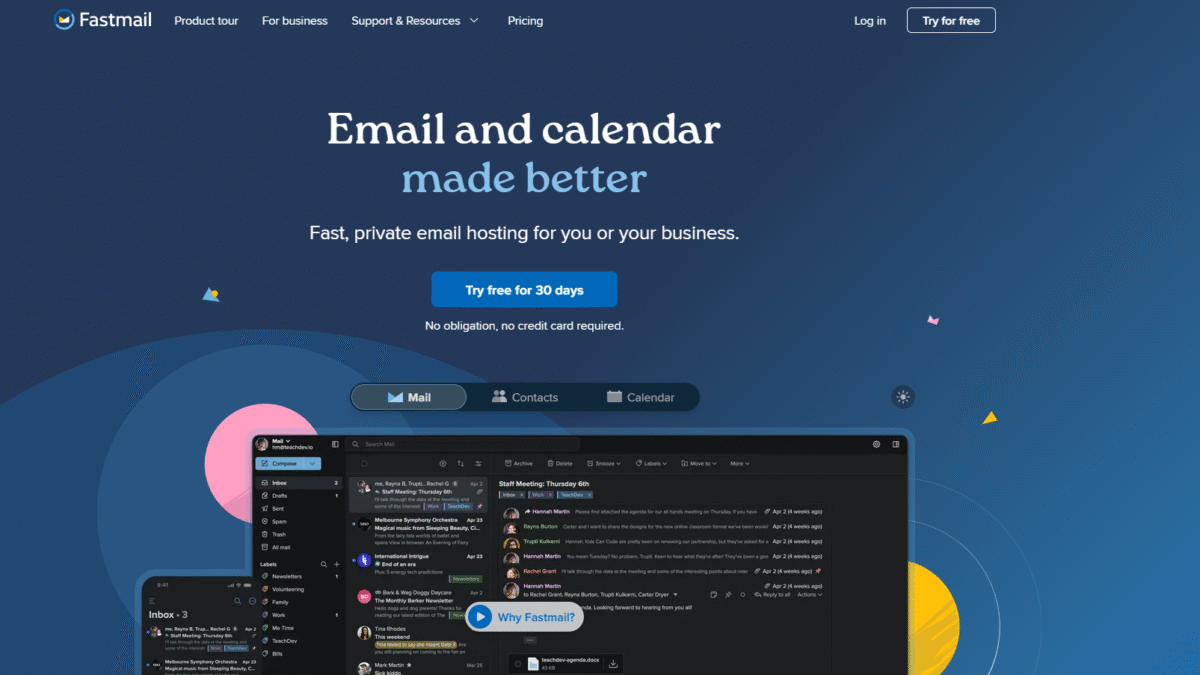
At its core, Fastmail gives you a robust email inbox with advanced features like pinned messages, snooze functionality, and lightning-fast search. But it also includes a beautifully simple calendar, secure contact management, file storage, and advanced domain controls. If you’re serious about productivity and privacy, Fastmail is the tool that delivers both without compromise.
Fastmail Overview
Founded in 1999, Fastmail started with a simple mission: provide an email service that respects users’ privacy and delivers unmatched reliability. Over the years, it evolved from a hobbyist project into a global platform trusted by businesses, non-profits, and savvy individuals who refuse to settle for less.
The Fastmail team, spread across multiple time zones, emphasizes personal support over automated chatbots. They believe every customer deserves quick, human-powered assistance—24/7 email support ensures someone is always ready to help, whether you’re migrating domains or recovering access to an old account.
Growth milestones include the launch of Masked Email in 2021, which lets you create unique, throwaway addresses for every signup, blocking spam at the source. The addition of calendar event change summaries and integrated file storage further cemented Fastmail’s position as more than just an email provider—it’s an all-in-one communication hub.
Pros and Cons
Pros:
The service is lightning fast, making it easy to browse and search through thousands of messages in seconds without lag.
Email privacy is a first-class citizen: no ads, no tracking pixels, and built-in Masked Email protects your real address.
The calendar is tightly integrated, allowing you to view events, schedule meetings, and sync with Google or iCloud calendars seamlessly.
Powerful organizational tools like pinned messages and snooze help you stay focused on what matters right now.
Aliases and custom domains let you present a professional image and manage multiple ventures under one roof.
Personal, responsive support means you’re never left waiting for days to get an answer—engineers handle your questions directly.
Cons:
There’s no live chat or phone support—everything happens via email ticket, which may feel slower than instant messaging for some.
At first glance, the interface can seem minimal compared to big-name competitors, but the trade-off is privacy and speed.
Features
Fastmail’s feature set is tailored to boost your productivity, protect your privacy, and help you stay organized. Here’s a closer look:
Pin Important Messages
Keep critical emails front and center by pinning them to the top of your inbox:
- Highlight invoices, client communications, or internal memos you need to reference throughout the day.
- Toggle pins on and off easily as priorities shift.
Snooze Tickets and Bills
Don’t let routine tasks clog your workflow. Snooze messages until the moment you need them:
- Schedule reminders for vendor invoices, upcoming deadlines, or follow-ups.
- Choose custom snooze intervals—later today, tomorrow morning, next week, or any date you specify.
Powerful Search
Finding any email should take seconds, not minutes. Fastmail’s search engine indexes everything in real time:
- Search by sender, date range, attachments, or keywords.
- Use advanced operators like “has:attachment” or “before:2024/01/01” for pinpoint accuracy.
Masked Email and Aliases
Protect your real address and organize signups effortlessly:
- Create unique masked addresses for newsletters, vendors, or side projects.
- Revoke any alias that starts receiving spam—no more inbox clutter.
Integrated Calendar
View, schedule, and manage events without leaving your inbox:
- Sync with Google Calendar, iCloud, or Microsoft calendars for a unified view.
- Receive clear change summaries whenever an event is updated.
VIP-Only Notifications
Avoid interruptions by limiting push or desktop notifications to key contacts:
- Focus on deep work while still getting alerts from your most important clients or team members.
Fastmail Pricing
With transparent, subscription-based pricing, Fastmail makes budgeting straightforward and avoids hidden fees:
Individual
Price: $6/mo • Storage: 60 GB • Users: 1
- Private inbox and multiple email addresses
- Use custom domains
- Masked Email and powerful search
- Personal and work calendars
Duo
Price: $10/mo • Storage: 120 GB (60 GB per user) • Users: 2
- Two separate inboxes under one account
- Shared calendars and address book
- All Individual features plus multi-user privacy controls
Family
Price: $14/mo • Storage: Up to 360 GB (60 GB per user) • Users: Up to 6
- Inbox and aliases for each family member
- Shared calendars, address book, and file storage
- Easy batch updates and unified billing
Basic (Business)
Price: $4/user/mo • Storage: 6 GB
- Expert email support and shared mailboxes
- Company address book and calendars
Standard (Business)
Price: $6/user/mo • Storage: 60 GB
- All Basic features
- Custom domains, scheduled send, snooze
- Third-party app integrations
Professional (Business)
Price: $10/user/mo • Storage: 150 GB
- All Standard features
- Email retention archive for compliance
Want to compare plans side by side? Visit the full pricing page to find the right fit.
Plan details and signup are available at Fastmail Pricing.
Fastmail Is Best For
Some email solutions promise everything but deliver little. Fastmail shines in specific scenarios:
Small Business Owners
If you run a boutique agency, e-commerce store, or consultancy, you need reliable, private small business emails. Fastmail gives you professional domains and unlimited aliases to separate billing, marketing, and client correspondence effortlessly.
Freelancers and Side Hustlers
Juggle multiple projects without mixing messages. Use masked email addresses for each platform you sign up on; when one starts spamming, you simply disable it.
Privacy-Minded Professionals
Lawyers, therapists, or anyone handling sensitive information will appreciate zero ads, encrypted data storage, and no third-party tracking.
Teams Needing Simplicity
Small teams benefit from shared calendars and address books without the complexity of big corporate suites. Fastmail’s flat pricing makes budgeting predictable.
Benefits of Using Fastmail
Adopting Fastmail for your small business emails translates into immediate gains:
- Increased Productivity: Pin and snooze features keep your focus razor-sharp and your inbox clutter-free.
- Enhanced Privacy: Masked Email and no ads ensure your data stays yours—never sold or shared.
- Reliable Uptime: 20+ years of service means rock-solid availability and nightly backups.
- Professional Branding: Custom domains and multiple aliases reinforce your credibility.
- Unified View: Integrated calendar, contacts, and file storage eliminate the need for multiple apps.
- Scalable Plans: From solo entrepreneurs to growing teams, pick a plan that fits your size and budget.
Customer Support
Fastmail’s support model revolves around personal, email-based assistance. There’s no chat or phone line, but behind every ticket is an experienced engineer ready to help. Whether you need help migrating from another provider, setting up custom domains, or recovering access, you’ll receive thoughtful, in-depth responses—often within minutes.
With team members distributed across time zones, someone is always monitoring the queue. This “follow-the-sun” approach ensures your questions are never left unanswered for long. For comprehensive guides, the Fastmail Help Center offers step-by-step tutorials on everything from IMAP setup to advanced filtering rules.
External Reviews and Ratings
Fastmail consistently earns praise on platforms like Trustpilot and Reddit. Users highlight the snappy performance, intuitive interface, and rock-solid privacy features. Many appreciate the straightforward migration tools and lack of hidden fees. Ratings often sit around 4.5 out of 5 across multiple review sites, with customers calling it “the best email service I’ve ever used.”
Some occasional criticisms include the absence of mobile push notifications on certain Android clients and the lack of built-in live chat. Fastmail addresses these concerns by providing clear workarounds—such as using modern IMAP-compatible apps for reliable notifications—and continuously iterating its web interface based on user feedback.
Educational Resources and Community
Beyond the core product, Fastmail fosters a vibrant user community and provides extensive learning materials:
- Official blog posts covering productivity tips, privacy best practices, and feature deep-dives.
- Webinars and video tutorials on setup, migration, and advanced workflows.
- An active forum where users share filters, aliases, and integration hacks.
- Detailed help articles for troubleshooting, IMAP/SMTP configuration, and domain management.
Whether you’re just getting started or looking to master advanced features, these resources help you get the most out of Fastmail and refine your small business emails strategy.
Conclusion
Managing small business emails doesn’t have to be a constant battle against clutter, slow search, and privacy trade-offs. Fastmail offers an elegant, secure, and lightning-fast solution that scales from solo entrepreneurs to growing teams. With features like masked email, pinned messages, snooze functionality, and an integrated calendar, you gain clarity and control over every aspect of your communication.
Ready to experience the difference? Get started today and Try Fastmail Free for 30 days Today. Your inbox—and your productivity—will thank you.
