

Video AI: Effortless Editing for Viral Social Clips
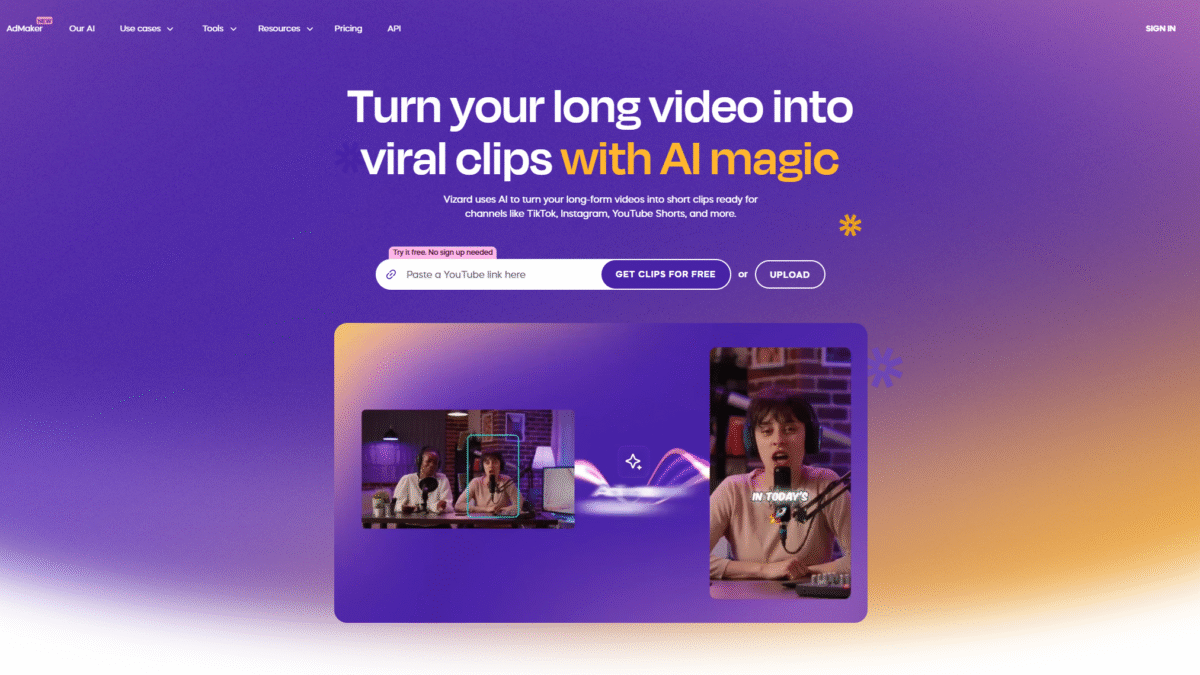
Creating scroll-stopping content on TikTok, Instagram, YouTube Shorts, and beyond has never been easier thanks to video ai innovation. If you’re tired of spending hours scrubbing through raw footage, adding captions, resizing for different platforms, and hunting for the perfect B-roll, it’s time to discover Vizard. With one click you can transform a single long-form recording into a library of viral clips. Ready to see it in action? Get Started with Vizard for Free Today and let AI handle the heavy lifting.
Why Video AI Matters for Modern Creators
Every second counts on social media. Algorithms favor videos that hook viewers within the first few frames, but manually editing content to meet that bar can feel like an uphill battle:
- Sorting through hours of interviews or webinars.
- Reframing horizontal footage into vertical aspect ratios.
- Crafting dynamic captions and eye-catching graphics.
- Finding engaging B-roll that reinforces your message.
That’s where video ai enters the scene. By analyzing visual and audio cues, AI can pinpoint the most compelling moments, auto-reframe, generate captions in 39 languages, and even sprinkle in animated emojis and B-roll to make every clip pop.
Introducing Vizard: Effortless AI Video Editing
Vizard is an AI video editing and clipping tool designed for everyone—creators, podcasters, coaches, marketers, agencies, and teams of any size. Whether you recorded a 90-minute webinar, a podcast episode, or a client call, Vizard turns that single video into multiple social-ready clips in minutes.
Key highlights of how Vizard supercharges your workflow:
- AI Clipping: Automatically identify highlights and generate short, fully designed clips with zero manual effort.
- Auto-Reframe: Convert landscape videos into perfect vertical or square formats, tracked around speakers and key objects.
- Dynamic Captions: Generate styled captions in 39 languages, or customize fonts, colors, and positions.
- AI Emoji & B-roll: Enhance emotional engagement with AI-generated emojis and relevant B-roll clips.
- Social Caption & Hashtags: Auto-generate catchy post descriptions and hashtag sets to maximize reach.
How It Works: From Raw Footage to Viral Clips
- Upload & Transcribe: Drag and drop your video. Vizard transcribes the audio, detects speakers, and prepares your footage for editing.
- Get AI Clips: Hit “Get AI Clips” and watch as Vizard’s proprietary algorithms extract the most engaging segments and design them for your chosen aspect ratios.
- Publish & Share: Download in 720p or 4K, share a preview link, or schedule directly to your social accounts—all from one centralized workspace.
Collaboration is built in: invite team members, share previews with clients, or assign tasks—all within Vizard’s Team Workspace.
Vizard Pricing Plans
Whether you’re just getting started or running a full-scale marketing operation, there’s a plan that fits:
Free
- 0 USD / month
- 60 upload minutes
- Private workspace
- Manage one social account
- AI-generated clips, 720p export, 3-day storage
Creator (Most Popular)
- 29 USD / month
- 600 upload minutes
- No watermark, 4K export
- Manage up to six social accounts
- Schedule posts, unlimited storage
Business
- 39 USD / month
- 600 upload minutes
- Shared workspace, manage 20 accounts
- Invite team members (+10 USD/seat)
- Custom brand kit, unlimited viewers
Save 50% with annual billing on all paid plans.
Who Should Use Vizard?
Content Creators & Podcasters
Clip your long-form episodes into bite-sized teasers, behind-the-scenes moments, and audience magnets that multiply your viewership.
Coaches & Business Owners
Turn webinars, client calls, and interviews into professional clips that build authority and expand your personal brand.
Marketers & Agencies
One webinar can become a month’s worth of social content. Automate repetitive tasks and focus on strategy, not manual editing.
Benefits of Embracing Video AI with Vizard
- Time Savings: Reduce editing time from hours to minutes with automated highlight detection and formatting.
- Consistency: Maintain on-brand templates and styles across all clips.
- Global Reach: Translate captions into 39 languages and engage audiences worldwide.
- Scalability: Produce ten times more clips without more headcount.
- Collaboration: Centralized workspace for teams and clients to review, comment, and approve edits in real time.
Customer Support & Resources
Vizard’s support team is available via live chat, email, and a dedicated help center. Expect quick responses, video tutorials, and detailed guides to help you make the most of every feature.
Tap into a growing community of creators—join webinars, browse blog posts on advanced editing tips, and exchange best practices in user forums.
Real-World Success Stories
“Within a week of using Vizard, our agency’s content output doubled. Clients love the polished look, and we spend less time editing.” – SocialMediaPros
“Vizard’s AI clipping pulled highlights from our 2-hour webinar in under five minutes. We posted six clips in a day and saw a 30% engagement bump.” – Marketing Masters
Ready to join hundreds of creators, coaches, and marketers who are transforming their workflows with video ai? Get Started with Vizard for Free Today and experience effortless editing for viral social clips.
Start creating your best video clips with zero effort—try Vizard now and unlock the power of AI for your social media strategy.
